


How It Works

Your Subscription Perks
• 15% off your first subscription order
• 20% off every recurring delivery
• Complimentary shipping with every subscription
• Loyalty rewards: earn 1 point for every $1 spent
• A free gift with every recurring delivery
• Total flexibility: pause, reschedule, or cancel anytime
Shop Subscription Best Sellers

Regenerating Cleanser
Daily Triple-Action Exfoliator

Water-Lock Moisturizer
2-in-1 Silicone-Free Hydrator + Primer

Refillable Restorative Eye Crème
Refillable Intensive Age Defense

Rejuvenating Serum
Intensive Age Defense

Crème Supreme
Rich Moisture Cream

Superkind Bio-Barrier Serum
Intensive Age Defense for Sensitive Skin
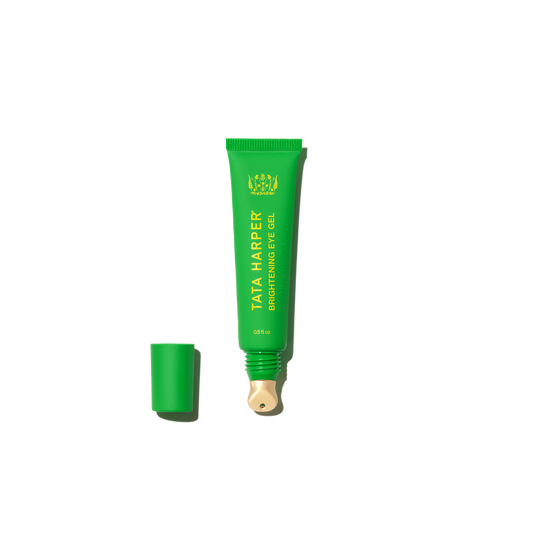
Brightening Eye Gel
Bright Eyes, Anytime

Superkind Calming Crème
Soothing Moisture for Sensitive Skin

Resurfacing Serum
Brightening Vitamin C + AHA/BHA Serum

Clarifying Cleanser
Blemish & Oil Control Face Wash

Hydrating Floral Essence
Hyaluronic Acid Face Mist

Resurfacing Mask
BHA + Enzyme Brightening Mask

AI Skin Analysis
Not sure what products are best for your skin? Try our AI tool to find a routine tailored to your unique needs.

Personalized Guidance
From fine-tuning your routine to answering ingredient questions, our Skincare Concierge provides personalized support.
Manage Your Subscriptions
Log into your online account, or create one, to make changes to your active subscription orders.
Subscription FAQ's
Subscription is the most convenient way for you to get the products you want delivered to you on a regular schedule. We automatically send your favorite products based upon your chosen frequency. The service is easy to use and customizable, so you can make changes online whenever you need. Simply tell us how often you want your chosen products, and we'll take it from there. You will receive 15% off your first subscription order and 20% off recurring subscription purchases plus free shipping on all orders!
You always have complete control over your Subscription orders and we send an email reminder 10 days before each order is shipped. You can change your delivery frequency, next order date, or quantity anytime by visiting ‘My Subscription’ located within your account. Changes to orders can be made any time before the next scheduled shipment date and you can cancel at any time.
Joining Subscription is easy; it can be done while browsing on a product page or while reviewing items in your shopping cart. To get started, simply select the ‘Auto-Replenish’ option for your desired product, select your preferred shipment frequency, and then check out as normal.
After you join Subscription, you will receive an email confirming your subscription. This email will include a link to access the ‘Subscription’ section in your account where you can manage your future orders, subscribed items, and account information.
We will place your Subscription orders automatically according to your selected frequency, and you will only be billed on the day the order is shipped. We will send you an email reminder 10 days before each subscription order. You will also receive email notifications regarding other important information related to your Subscription account, such as if your item is discontinued or out of stock, if you cancel a subscription item, and confirmation when an order is placed successfully.
Once you’ve joined, Subscription is easy to manage. You can change your next order date, skip an order, change your selected frequency, or cancel a subscribed product by visiting the ‘My Subscription’ section in your account. Please allow up to 24 hours for modifications or cancellations to be processed.
Change an order date:
To change your next order date, please visit the ‘My Subscription’ section within your account and click the ‘Change Date’ button to the right of the next shipment date, then select a new date for your order. This will change the order date for the entire subscription order including multiple products.
Skip a delivery:
To skip a Subscription order, please visit the ‘My Subscription’ section within your account and click the ‘Skip Order’ button to the right of the upcoming order date to skip the entire order. The subscription will now reflect your next frequency date.
Change shipment frequency:
To modify the delivery frequency for a subscription item, please visit the ‘My Subscription’ section within your account. The current delivery frequency is displayed next to each replenishment item in a dropdown menu next to ‘Every’. To change the delivery frequency for an individual subscription item, simply click the frequency dropdown next to the item you would like to modify and select your next desired frequency from the dropdown menu. You will receive a yellow confirmation notice.
Send an order now:
To receive a subscription order immediately, please visit the ‘My Subscription’ section within your account and click the ‘Send Now’ button to the right of the upcoming order date to send the entire order. It will ship within the next 24 hours.
Pause or Cancel subscription item:
To pause a subscription item, please visit the ‘My Subscription’ section within your account and click the ‘pause’ link to the right of the item you wish to pause. You’ll be prompted to select a shipment resume date. Once you’ve selected the date and clicked the ‘Pause Subscription’ button, your subscription will be paused and will resume shipment on the date that you selected.
To cancel a subscription item, please visit the ‘My Subscription’ section within your account and click the ‘cancel’ link to the right of the item you wish to cancel. You’ll be prompted to confirm this action and indicate your reason for cancelling. Once you’ve selected a cancel reason and clicked the ‘Stop Subscription’ button, your subscription will be cancelled and no future orders will be placed. You will receive an email notification confirming this action. Please allow up to 24 hours for any modifications or cancellations to be processed. You can always resume this subscription in the future. Cancelled subscriptions are listed at the bottom of your My Subscriptions Page.
To review or modify your Subscription account information, visit ‘My Subscription’ located within your account.
- To change your shipping address for an order, click the ‘Edit’ link located directly below the current shipping information. Select a previous shipping address from the dropdown menu or create a new one to add to your account. This address will apply to all subscriptions and future orders if you click the apply all option.
Please remember to press OK and verify that your updated information saved successfully. We kindly ask that you allow up to 24 hours for modifications or cancellations to be processed.
*AFO/DPO and US Territories please see further information below
Your very next scheduled orders will be listed in the ‘My Subscription’ section of ‘My Account’.
Subscription items that you purchased together will ship together. Also if they are around the same 4 day window they will ship together. If you have multiple Subscriptions on different dates, look at your upcoming order in the My Subscriptions section. Change other subscriptions you want to ship with that order to the same date. Remember, confirm the orders are going to the same shipping address and payment method.
All subscribe-able products may be added to your upcoming subscription order. On the product page, find the ‘Add this to my order on:’ button. When you click this button, you will have the option to add the item to your upcoming subscription order.
Addresses from each of the US Territories can subscribe; however, the subscription system cannot process an address change within the US Territories. To change your address you will have to cancel your subscription items and repurchase them with your new address via the website checkout, unless you are changing the address to a standard US 50 States address. For help with this contact us directly.
Once logged in, go to the "Manage Your Subscriptions" tab and click "Send Email" under the "Update your credit card for all subscriptions" section. This will allow you to verify your account information, while also updating your billing.
Subscription items will ship automatically until you cancel. By placing this order you are authorizing us to charge your card for future orders at the frequency and quantity you selected. The actual cost of each shipment may vary depending on the quantity and frequency chosen.
For Client Services Team or to cancel, visit info@tataharper.com or call 877-321-8282.